What Is Overclocking?
Overclocking runs a CPU, GPU, or memory beyond its rated clock speed for more performance, trading power, heat, and stability margin to get it.
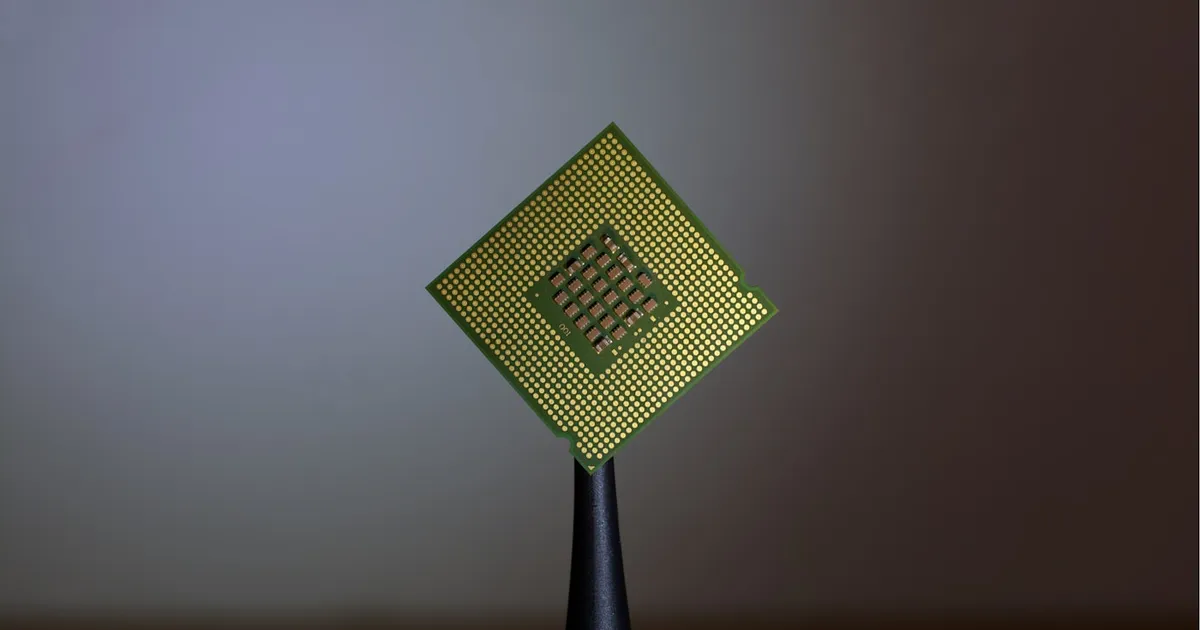
Overclocking is running a processor, graphics card, or memory module at a higher clock speed than its factory-rated specification, trading extra power draw and heat for extra performance. Manufacturers rate a chip’s clock speed conservatively — a specification that guarantees stable operation across a wide range of individual chips, cooling setups, and operating conditions. Overclocking pushes past that guaranteed number, betting that a specific chip, in a specific system, with specific cooling, can handle more than the conservative factory rating.
Why manufacturers leave headroom in the first place
Chips of the same model don’t all perform identically — manufacturing introduces natural variation, a phenomenon the industry calls the silicon lottery. Some chips can run faster and cooler than others of the exact same design at the exact same voltage, purely due to microscopic differences from the fabrication process. Rather than rate every chip at the ceiling of what the very best examples can do, manufacturers pick a clock speed that essentially every unit produced can hit reliably, across a range of ambient temperatures and stock cooling. That gap between “the guaranteed-safe speed” and “the actual maximum this specific chip could handle” is what overclocking tries to claim.
Clock speed, voltage, and the tradeoff
A chip’s clock speed is measured in gigahertz (GHz) — billions of cycles per second, each cycle a window in which the chip’s transistors switch state and advance a computation. Running a higher clock speed generally requires supplying the chip with more voltage to keep transistors switching reliably at the faster rate; more voltage means more power draw and more heat generated as a direct consequence. This is the fundamental overclocking tradeoff: more clock speed for more performance, at the cost of more heat that has to be removed and more power the system has to supply cleanly.
Push voltage and clock speed too far without adequate cooling and power delivery, and the result isn’t graceful degradation — it’s an unstable system: crashes, corrupted computations that may not even be obvious until much later, or in extreme and sustained cases, permanent chip damage from excessive heat or voltage over time.
Thermal throttling as the natural limit
Every modern chip includes protection against overheating: when internal temperature sensors detect the chip is running too hot, the chip automatically reduces its own clock speed to bring temperature back down — a mechanism covered in more depth in thermal throttling explained. This is one reason overclocking without upgrading cooling often backfires: pushing a chip to a higher clock speed with stock cooling can cause it to run hotter, trigger throttling, and end up performing worse under sustained load than it would have at its default, un-throttled clock speed. Overclocking headroom is frequently a cooling problem as much as a silicon one — a chip with a better cooler, more airflow, or a more efficient thermal interface between the chip and its heatsink can often sustain a higher clock speed indefinitely, where a poorly-cooled identical chip can’t hold that speed for more than a few seconds before throttling kicks in.
Thermal design power is the manufacturer’s rated figure for how much heat a chip is expected to generate under sustained load at stock settings — a number cooling solutions are typically designed around. Overclocking pushes actual heat output above that rating, which is exactly why aftermarket cooling is standard practice for anyone overclocking seriously.
Overclocking memory
RAM can be overclocked too, generally with less risk of damage than CPU or GPU overclocking but with its own stability considerations — memory that’s unstable at a given speed doesn’t just crash, it can silently corrupt data during otherwise-successful operation, which is a more insidious failure mode than an outright system crash. Memory manufacturers commonly ship modules with certified overclocking profiles that can be enabled with a single setting, letting a module run faster than its baseline JEDEC-standard speed while still meeting a tested stability bar — a more reliable path than manually tuning voltage and timings from scratch. Getting the most out of overclocked memory also depends on the channel configuration it’s running in, covered in single vs dual vs quad-channel memory, and on whether the system is using ECC memory — ECC’s error-correction overhead and stricter stability requirements make it a poor fit for aggressive overclocking, which is part of why ECC-equipped systems rarely target it.
How much overclocking actually gains you
The realistic performance gain from overclocking has shrunk considerably as manufacturers have gotten better at extracting close to the maximum stable performance out of chips at their factory settings — modern chips increasingly ship closer to their true silicon ceiling already, boosting dynamically based on thermal and power headroom in ways that leave less obvious margin for a manual overclock to claim. This is a meaningful shift from years when factory clock speeds left larger gaps for enthusiasts to close manually. That doesn’t make overclocking pointless, but it does mean the gains available today are generally smaller and harder-won than in earlier eras of the practice, and stability testing to confirm a given overclock is genuinely reliable — not just able to boot and run briefly — takes real, deliberate effort.
What voids a warranty
Manufacturers generally rate chips for stock operation, and many explicitly note that overclocking beyond factory specifications is done at the user’s own risk and outside their standard warranty coverage — some product lines are explicitly positioned and marketed as overclocking-friendly with correspondingly different warranty terms, so it’s worth checking the specific terms for a specific product rather than assuming either way.
The takeaway
Overclocking runs a chip beyond its factory-rated clock speed, trading additional voltage, power draw, and heat for additional performance headroom that manufacturers conservatively left on the table. The realistic ceiling on any given overclock is usually set by cooling rather than the chip itself — thermal throttling automatically pulls clock speed back down once temperature limits are hit, which is why serious overclocking generally requires upgraded cooling and careful stability testing, not just raising a clock speed slider and hoping.
Keep reading
 Chisato · · 6 min read
 SSD Wear Leveling: How NAND Flash Stays Alive
SSD wear leveling spreads writes across NAND flash so no block wears out early. How the flash translation layer, garbage collection, and TRIM work together.
 Chisato · · 4 min read
 Thermal Interface Materials Explained
Thermal interface material fills microscopic gaps between a chip and its heatsink so heat can actually transfer to the cooler.
Chisato · · 4 min read Clock Speed vs. IPC: What Actually Makes a CPU Fast
Clock speed measures cycles per second; IPC measures work done per cycle. Real CPU performance is the product of both, not either one alone.