SSD Wear Leveling: How NAND Flash Stays Alive
SSD wear leveling spreads writes across NAND flash so no block wears out early. How the flash translation layer, garbage collection, and TRIM work together.
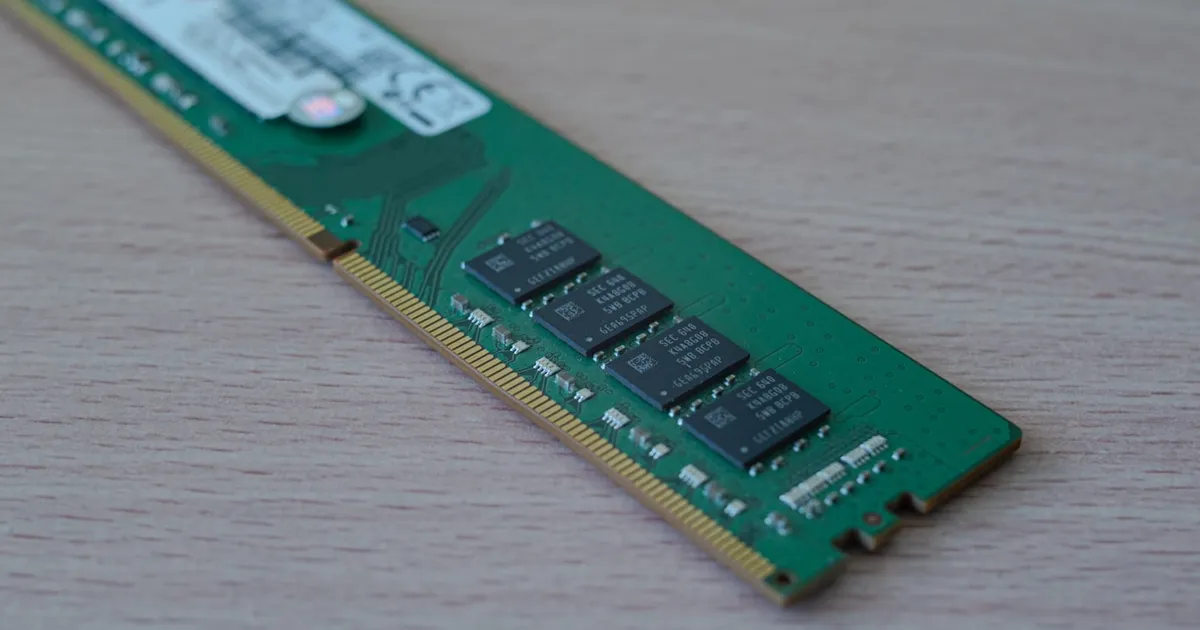
Wear leveling is the technique solid-state drives use to spread writes evenly across their NAND flash so that no single region wears out long before the rest. It is necessary because flash cells can only be erased a limited number of times before they stop holding data reliably. Wear leveling works hand in hand with two other mechanisms inside every SSD, the flash translation layer and garbage collection, and together they explain most of an SSD’s quirks: why it slows down when full, why TRIM matters, and why its rated endurance is measured in total data written.
Why flash wears out
NAND flash stores data as electrical charge trapped in a cell. Writing (programming) a cell pushes electrons through a thin insulating layer; erasing pulls them back out. Each program and erase cycle slightly damages that insulating layer. Over many cycles, the cell leaks charge and its stored value becomes harder to read correctly.
Endurance depends heavily on how many bits each cell stores:
| Cell type | Bits per cell | Relative endurance | Relative cost per bit |
|---|---|---|---|
| SLC | 1 | Highest | Highest |
| MLC | 2 | High | High |
| TLC | 3 | Moderate | Moderate |
| QLC | 4 | Lowest | Lowest |
Storing more bits means distinguishing between more charge levels in the same cell, which leaves less margin for wear. That is why dense, inexpensive drives have lower endurance ratings, and why many of them reserve some flash to operate in a faster, more durable single-bit mode as a write cache.
The erase-before-write problem
Flash has an awkward constraint that hard drives do not. Data is written in units called pages, typically a few kilobytes, but it can only be erased in much larger units called blocks, each containing many pages. A page cannot be overwritten in place. It must be erased first, and erasing means wiping the entire block it lives in.
If an SSD naively updated data in place, changing one small page would require reading the whole block, erasing it, and rewriting every page. That would be slow and would burn through erase cycles on frequently changed data, such as file system metadata, extremely fast.
The flash translation layer
SSDs solve this with a layer of indirection called the flash translation layer (FTL), implemented in the drive’s controller firmware.
The operating system addresses the drive in terms of logical block addresses (LBAs), just as it would a hard drive. The FTL maintains a mapping table from each logical address to a physical page location in flash. When the OS rewrites a logical address, the FTL:
- Writes the new data to a fresh, already-erased page somewhere else.
- Updates the mapping so the logical address points to the new page.
- Marks the old page as stale.
No erase happens during the write. This out-of-place update is what makes SSD writes fast, and it is also what makes wear leveling possible: the FTL is free to choose where every write lands. The mapping table itself is hot data, which is why many drives keep it in onboard DRAM. The trade-offs there echo the general DRAM vs SRAM design space: DRAM is dense enough to hold a large table and fast enough to consult on every I/O.
Garbage collection
Out-of-place writes leave stale pages scattered across blocks. Eventually the drive runs low on erased blocks to write into. Garbage collection reclaims space by:
- Picking a block with many stale pages.
- Copying its remaining valid pages to a fresh block.
- Erasing the original block, returning it to the free pool.
The copying in step 2 is extra writing the host never asked for. The ratio of total flash writes to host writes is called write amplification, and keeping it low is a central goal of SSD firmware. High write amplification both slows the drive and consumes endurance faster.
How wear leveling works
The FTL tracks erase counts for every block and uses that information when choosing where to put data. There are two broad strategies.
Dynamic wear leveling directs new writes to free blocks with the lowest erase counts. It is simple, but it only rotates among blocks that are actively being rewritten. Blocks holding data that never changes are never touched.
Static wear leveling fixes that gap. Data that rarely changes, like operating system files or an archive of photos, sits on blocks that accumulate almost no wear while the rest of the drive takes all the punishment. Static wear leveling periodically moves that cold data onto heavily worn blocks, freeing its lightly worn blocks to absorb the hot writes. This adds a small amount of write amplification in exchange for much more even wear across the whole device.
Modern controllers use both, alongside over-provisioning: a portion of raw flash that is not exposed to the user. That spare area gives garbage collection and wear leveling room to work, lowers write amplification, and provides replacement blocks when some eventually fail.
TRIM and why it matters
There is one thing the FTL cannot know on its own: when the file system has deleted a file. From the drive’s perspective, those logical addresses still hold valid data until something overwrites them, so garbage collection dutifully copies them around.
The TRIM command (called Deallocate in NVMe) lets the operating system tell the drive which logical addresses no longer hold useful data. The FTL can then mark those pages stale immediately, skip copying them, and keep more erased blocks available. Without TRIM, a drive that has been filled once behaves as if it is always full, with higher write amplification and slower sustained writes.
Most current operating systems issue TRIM automatically, either continuously or on a periodic schedule. The same principle applies at larger scale in storage arrays and cloud block volumes.
What this means in practice
A few practical consequences follow from how the FTL works:
- Leave free space. A nearly full drive has fewer spare blocks for garbage collection, so performance and endurance both suffer. Keeping some capacity unused acts like extra over-provisioning.
- Endurance ratings are about total writes. Drives are rated in terabytes written or drive writes per day over the warranty period. Ordinary desktop use rarely approaches those limits; write-heavy databases and logging servers can.
- Software design affects wear. Workloads that write sequentially and in large chunks keep write amplification low. That is part of why log-structured designs like LSM trees and write-ahead logs pair well with flash.
- Interface does not change the physics. Whether a drive connects over SATA or NVMe affects bandwidth and latency, not how its flash wears. The FTL logic is the same idea in both.
For a broader look at how SSDs compare with spinning disks in reliability and cost, see SSD vs HDD.
The takeaway
NAND flash can only be erased a limited number of times, and only in large blocks, so SSDs never overwrite data in place. The flash translation layer redirects every write to a fresh page, garbage collection reclaims blocks full of stale data, and wear leveling chooses locations so erase cycles are spread evenly, including by relocating cold data. TRIM and spare capacity give that machinery room to work. Keep some free space, let your OS issue TRIM, and favor sequential write patterns, and the drive’s endurance will rarely be the thing that limits you.
Keep reading
 Chisato · · 4 min read
 Thermal Interface Materials Explained
Thermal interface material fills microscopic gaps between a chip and its heatsink so heat can actually transfer to the cooler.
Chisato · · 4 min read Clock Speed vs. IPC: What Actually Makes a CPU Fast
Clock speed measures cycles per second; IPC measures work done per cycle. Real CPU performance is the product of both, not either one alone.
 Chisato · · 4 min read
 UMA vs NUMA: Memory Architecture Explained
UMA gives every CPU core equal-latency memory access; NUMA gives each core faster access to its local memory bank. How the two architectures differ.