UMA vs NUMA: Memory Architecture Explained
UMA gives every CPU core equal-latency memory access; NUMA gives each core faster access to its local memory bank. How the two architectures differ.
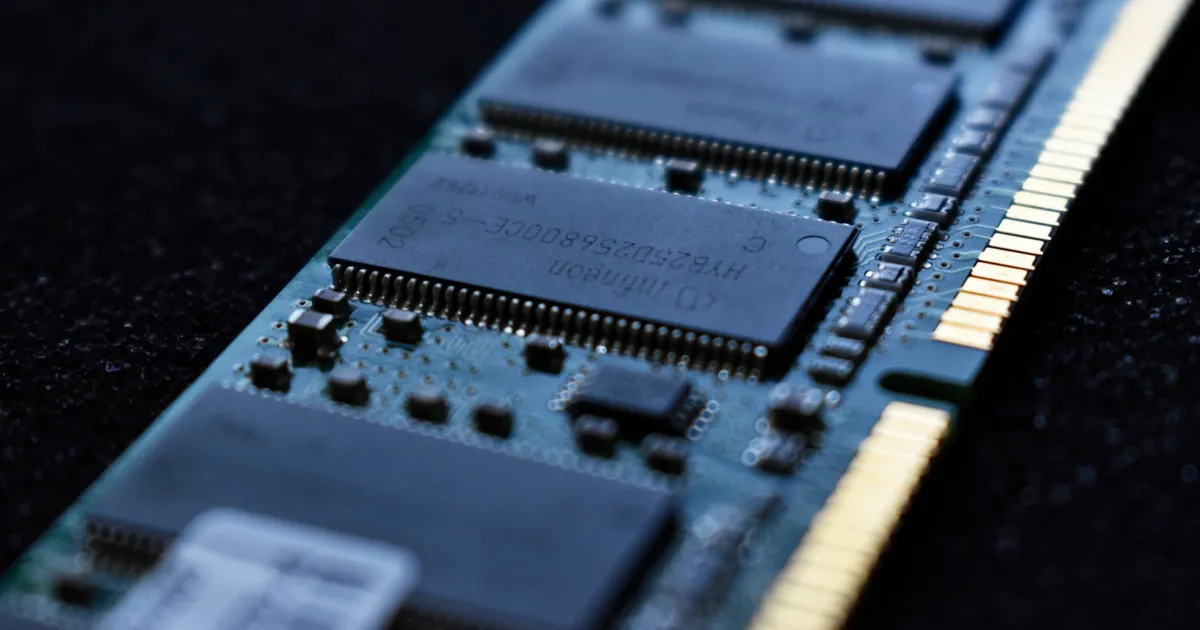
UMA (Uniform Memory Access) and NUMA (Non-Uniform Memory Access) are the two dominant models for how multi-core and multi-socket systems connect processors to main memory. UMA gives every core the same access latency to any address in memory; NUMA gives each core faster access to a “local” region of memory and slower access to memory attached to other cores or sockets.
UMA: one shared pool, equal distance
In a UMA system, all CPU cores connect to main memory through a shared bus or interconnect, and every core sees the same latency and bandwidth regardless of which address it’s reading. This is the traditional single-socket, symmetric multiprocessing (SMP) design, and it’s simple to reason about: from software’s perspective, memory is just memory — there’s no “closer” or “farther” address.
The tradeoff is that a shared bus is a shared resource. As you add more cores, they all contend for the same memory bandwidth, and the bus itself becomes the bottleneck. UMA scales well for a modest number of cores but degrades as core counts climb, because every additional core adds demand on the same fixed-width path to memory without adding a new path.
NUMA: local memory is fast, remote memory is slower
NUMA solves the bus-contention problem by giving each processor (or group of cores, called a NUMA node) its own directly attached bank of memory. A core can read from its own node’s memory at full local latency. Reading from a different node’s memory still works — the nodes are connected by an interconnect — but it costs more: extra hops, extra latency, and a share of the interconnect’s more limited bandwidth compared to a local memory bus.
This is the standard design for multi-socket servers: each CPU socket has its own memory channels, and the sockets are linked together (via interconnects like AMD’s Infinity Fabric or Intel’s UPI). The operating system’s scheduler and memory allocator are NUMA-aware: they try to run a thread on the same node as the memory it’s already using, and to allocate new memory on the node where the requesting thread is running, to avoid unnecessary remote access.
Side by side
| UMA | NUMA | |
|---|---|---|
| Memory access latency | Same from any core to any address | Lower for local node, higher for remote nodes |
| Typical hardware | Single-socket systems, most consumer CPUs | Multi-socket servers, high-core-count systems |
| Scalability | Limited — shared bus becomes a bottleneck | Better — each node adds its own memory bandwidth |
| Software complexity | Simpler; no placement to reason about | Requires NUMA-aware scheduling and allocation for best performance |
| Failure mode if ignored | N/A | ”NUMA thrashing” — threads and their memory end up on different nodes |
Why this matters for software
Most application code never has to think about NUMA explicitly — the OS scheduler handles placement. But it becomes a real performance factor for workloads that are memory-bandwidth-heavy and latency-sensitive: databases, in-memory caches, and high-throughput services running on multi-socket hardware.
The failure mode to watch for is a thread getting scheduled on one NUMA node while the memory it allocated earlier lives on another — every access then pays the remote-memory penalty instead of the local one. Database engines and high-performance runtimes often expose explicit NUMA-pinning options (binding a process or thread to a specific node) precisely to avoid this. This is a similar class of problem to false sharing in that both are cases where the hardware’s memory topology silently degrades performance in ways that aren’t visible from the code alone.
Container orchestration adds another layer: a workload scheduled without NUMA topology awareness on a multi-socket host can end up split across nodes, or use memory bandwidth inefficiently even with correct core counts allocated. Kubernetes’ resource requests and limits control CPU and memory quantities, not NUMA placement, which is why latency-sensitive workloads on large multi-socket nodes sometimes need additional topology-manager configuration to get consistent performance.
Cache coherence still applies either way
Neither model changes the requirement for cache coherence — every core, on a UMA or NUMA system, still needs a consistent view of any address that multiple cores are reading and writing, typically enforced through a protocol like MESI. NUMA changes the cost of reaching memory in the first place; coherence is a separate, additional guarantee layered on top of whichever architecture is in use.
The takeaway
UMA treats all memory as equidistant from every core, which is simple but doesn’t scale past a modest core count. NUMA gives each core or socket its own local memory bank for lower latency, at the cost of variable, non-uniform access times that software and schedulers need to account for. Nearly all modern multi-socket servers are NUMA systems; the practical implication for engineers is that pinning threads and memory to the same node matters a great deal for latency-sensitive, high-throughput workloads.
Keep reading
 Chisato · · 6 min read
 SSD Wear Leveling: How NAND Flash Stays Alive
SSD wear leveling spreads writes across NAND flash so no block wears out early. How the flash translation layer, garbage collection, and TRIM work together.
 Chisato · · 4 min read
 Thermal Interface Materials Explained
Thermal interface material fills microscopic gaps between a chip and its heatsink so heat can actually transfer to the cooler.
Chisato · · 4 min read Clock Speed vs. IPC: What Actually Makes a CPU Fast
Clock speed measures cycles per second; IPC measures work done per cycle. Real CPU performance is the product of both, not either one alone.