What Is PCIe? The GPU and SSD Connection
PCIe (PCI Express) is the high-speed serial bus connecting GPUs, SSDs, and network cards to a CPU. How lanes, generations, and bandwidth work.
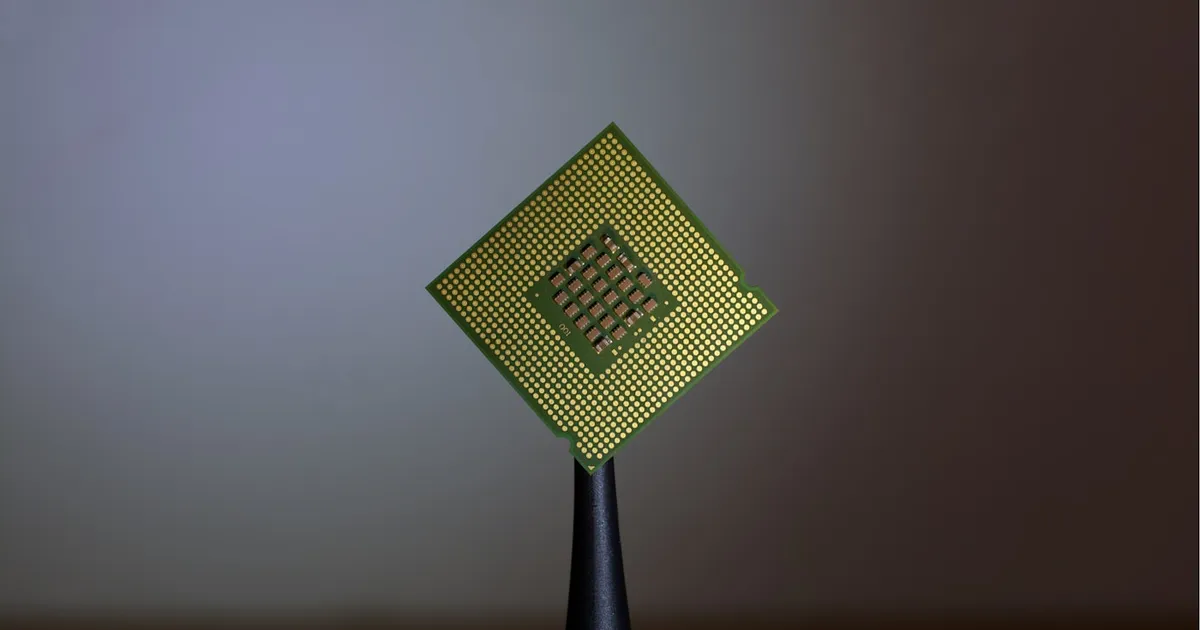
PCIe, short for PCI Express, is the high-speed serial interconnect that most modern computers use to connect a CPU to everything that needs fast, low-latency data access: graphics cards, NVMe solid-state drives, network interface cards, and increasingly, AI accelerators and other specialized chips. It replaced the older parallel PCI and AGP buses with a point-to-point serial design that scales far better as devices demand more bandwidth.
Serial instead of parallel
Older bus standards like PCI ran multiple bits in parallel across a shared set of wires — intuitive, but hard to scale, because keeping many parallel signals synchronized gets exponentially harder as clock speeds rise (a problem known as clock skew). PCIe abandoned that approach in favor of high-speed serial lanes, each a pair of wires carrying one bit stream at very high frequency. Multiple lanes are then bonded together to multiply bandwidth, which is a much more scalable way to go faster: add more lanes, or push each lane’s frequency higher, instead of trying to keep dozens of parallel signals in lockstep.
Lanes and slot sizes
A PCIe link is described by how many lanes it uses, written as x1, x4, x8, or x16. A physical slot’s size caps the maximum lanes it can support, but a device doesn’t have to use every lane a slot offers — a x4 card works fine in a x16 slot, just capped at x4 worth of bandwidth. Common allocations:
- x16 — the slot nearest the CPU on most motherboards, reserved for the primary graphics card, which needs the most bandwidth of any typical consumer component.
- x4 — the standard for NVMe SSDs, delivered either through a dedicated M.2 slot or an adapter card.
- x1 — network cards, sound cards, and other peripherals that don’t need much throughput.
Generations: doubling bandwidth over time
Each PCIe generation roughly doubles per-lane bandwidth over the previous one, achieved through higher signaling frequency and more efficient encoding. The practical effect: a x4 slot on a newer generation can match or exceed the bandwidth of a x8 or x16 slot on an older one, which is why generation matters as much as lane count when comparing two systems’ specs. This is also why an SSD or GPU marketed for a newer PCIe generation will still work in an older slot — PCIe is backward and forward compatible — but it runs at the older generation’s per-lane speed, since the link negotiates down to whatever both ends support.
Lane sharing and bifurcation
Motherboards don’t have unlimited PCIe lanes — the CPU and chipset only expose a fixed total, split across every slot and onboard device that needs one. This is why installing a second GPU or an extra NVMe drive can sometimes drop an existing slot down to fewer lanes than it’s rated for: the total pool is being divided differently, not expanded. Some platforms support bifurcation, splitting a single physical x16 slot’s lanes into multiple independent links (such as two x8 connections) so one slot can serve two devices instead of one, provided the motherboard and the card in the slot both support it. Server and workstation platforms typically expose far more total lanes than consumer ones specifically so that GPUs, NVMe drives, and network cards don’t have to compete for the same limited pool.
PCIe vs other interconnects
| PCIe | USB | SATA | |
|---|---|---|---|
| Typical use | Internal expansion cards, NVMe SSDs, GPUs | External peripherals | Older SATA SSDs/HDDs |
| Topology | Point-to-point lanes, scalable | Shared bus per controller | Point-to-point, single lane |
| Bandwidth scaling | Add lanes or bump generation | Fixed per USB version | Fixed, effectively maxed out |
| Hot-swappable | Generally no (server/enterprise variants exist) | Yes | Yes |
| Latency | Very low | Higher (protocol overhead) | Higher than PCIe/NVMe |
The rise of NVMe is really a PCIe story: NVMe is a storage protocol designed specifically to take advantage of PCIe’s parallelism and low latency, which is why NVMe drives dramatically outperform older SATA-based SSDs — the drive isn’t fundamentally faster flash memory, it’s the same flash talking over a much wider, lower-latency pipe directly to the CPU instead of through a legacy storage bus designed for spinning disks.
Why PCIe matters more as workloads change
As GPUs and other accelerators handle more of the actual computation in AI workloads, the bus connecting them to the CPU — and to each other — becomes a real bottleneck if it’s undersized. This is why data center hardware often dedicates far more PCIe lanes to a single accelerator than a consumer motherboard would ever offer, and why interconnect bandwidth gets discussed alongside memory bandwidth and latency as a first-order performance factor, not an afterthought. A chip with excellent raw compute throughput that’s starved by a narrow PCIe link ends up idle waiting for data far more often than its specifications would suggest.
The takeaway
PCIe is the point-to-point serial bus that connects a CPU to GPUs, NVMe SSDs, and other high-speed devices, with bandwidth determined by how many lanes a link uses and which generation it negotiates. Its lane-based design is what let it keep scaling well past where the old parallel PCI bus hit a wall, and it’s the quiet infrastructure underneath both everyday SSD speed and the accelerator-heavy systems increasingly built to move enormous amounts of data between chips as fast as possible.
Keep reading
 Chisato · · 4 min read
 Thermal Interface Materials Explained
Thermal interface material fills microscopic gaps between a chip and its heatsink so heat can actually transfer to the cooler.
Chisato · · 4 min read Clock Speed vs. IPC: What Actually Makes a CPU Fast
Clock speed measures cycles per second; IPC measures work done per cycle. Real CPU performance is the product of both, not either one alone.
 Chisato · · 4 min read
 UMA vs NUMA: Memory Architecture Explained
UMA gives every CPU core equal-latency memory access; NUMA gives each core faster access to its local memory bank. How the two architectures differ.