HBM vs GDDR: Memory Architectures Compared
HBM stacks DRAM vertically next to the chip for extreme bandwidth per watt; GDDR spreads fast chips around the board. How the two approaches differ.
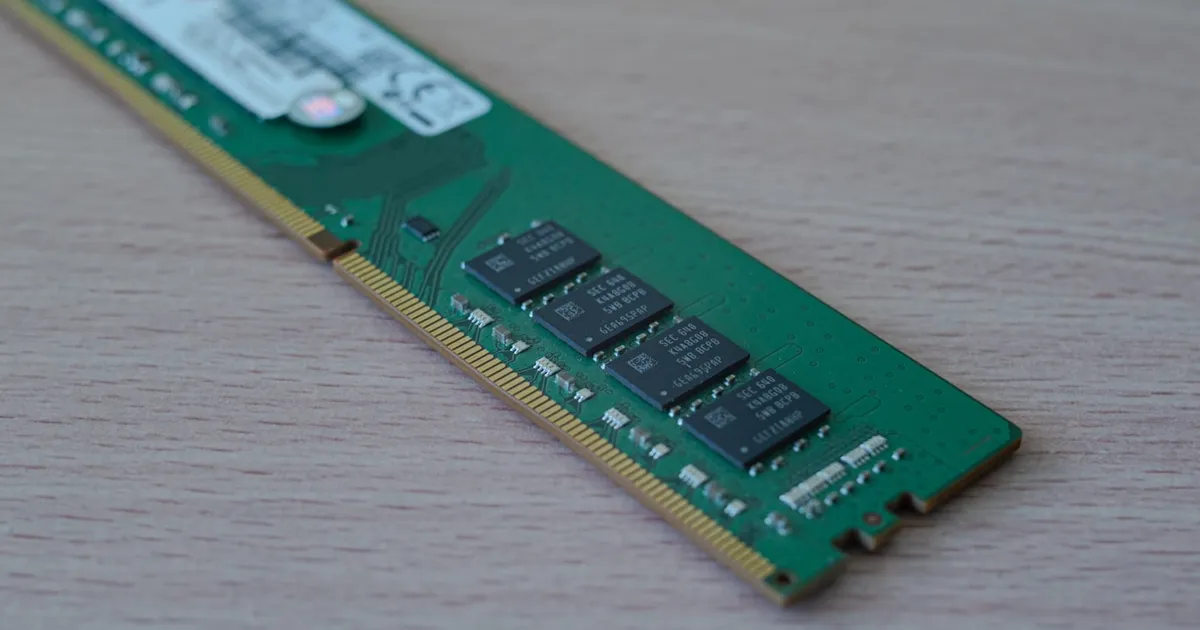
HBM (High-Bandwidth Memory) and GDDR (Graphics Double Data Rate) are both DRAM built to feed a GPU or accelerator with data far faster than a CPU’s DDR memory can, but they get there in opposite ways. HBM stacks memory dies vertically right next to the compute die and connects them with an extremely wide, short-range bus. GDDR keeps memory as separate chips placed around the package and pushes an enormous amount of data through a narrower interface at very high clock speeds.
How HBM gets its bandwidth
HBM stacks several DRAM dies on top of each other, connected through vertical channels called through-silicon vias (TSVs), and places that stack on the same package as the processor, linked by a silicon interposer. The interface is enormously wide — thousands of data lines per stack — which lets HBM move huge amounts of data per clock cycle even though each individual line runs at a comparatively modest speed. Width, not per-pin speed, is where HBM’s bandwidth comes from.
That architecture also makes HBM power-efficient per bit moved: shorter traces and lower per-pin voltages mean less energy spent driving signals compared to routing the same bandwidth across a normal circuit board. The tradeoff is capacity and cost — stacking dies and using an interposer is an expensive packaging process, and total capacity per stack is limited by how many dies can practically be stacked.
How GDDR gets its bandwidth
GDDR takes the opposite path: instead of stacking, it uses discrete chips placed around the GPU package on a normal circuit board, connected by a moderately wide bus, and pushes bandwidth by running that bus at very high clock speeds with aggressive signaling techniques. It’s a direct descendant of standard DDR memory, tuned specifically for graphics workloads — see DDR vs GDDR for how GDDR diverges from the DDR used in a typical PC’s main memory.
Because GDDR chips are separate, conventionally packaged parts rather than a stacked, interposer-mounted assembly, they’re cheaper to manufacture and easier to scale in capacity — add more chips around the board. The cost is power efficiency and board complexity: driving a high-speed signal across board traces to several discrete chips takes more energy per bit than HBM’s short, wide, on-package connection, and routing that many high-speed traces is itself a demanding board-design problem.
Bandwidth, capacity, and cost compared
| HBM | GDDR | |
|---|---|---|
| Bus width | Very wide (thousands of lines per stack) | Moderate, per-chip |
| Per-pin speed | Lower | Very high |
| Power per bit | Lower | Higher |
| Packaging | Stacked dies, interposer, on-package | Discrete chips on the board |
| Capacity scaling | Limited by stack height and interposer size | Easier — add more chips |
| Manufacturing cost | High (advanced packaging) | Lower |
| Typical use | AI accelerators, data-center GPUs | Consumer graphics cards, game consoles |
Latency
Bandwidth and latency aren’t the same measurement, and the gap matters here — see memory bandwidth vs latency for the general distinction. HBM is optimized almost entirely for sustained bandwidth on large, parallel transfers, which is exactly what a GPU’s thousands of concurrent threads need. GDDR, built on DDR heritage, tends to handle smaller, more latency-sensitive accesses somewhat better relative to its bandwidth, though both are far behind the latency of on-die caches or a CPU’s DDR main memory, which is tuned for the opposite priority.
Where each one shows up
HBM’s cost and packaging complexity mean it’s reserved for products where bandwidth per watt justifies the price: AI training and inference accelerators, and high-end data-center GPUs doing large-batch parallel compute, where CUDA cores and tensor cores are constantly starved for data unless memory bandwidth keeps up. GDDR remains the standard for consumer graphics cards and game consoles, where board cost and manufacturing scale matter more than squeezing out every last watt of efficiency, and where capacity flexibility (more or fewer chips per SKU) fits a product line better than a fixed number of HBM stacks.
Manufacturing and packaging complexity
HBM’s stacking and interposer requirements push it into advanced-packaging territory: dies have to be thinned, stacked, and connected through TSVs with extremely tight tolerances, then mounted alongside the compute die on a shared substrate. That process is a meaningfully different (and more expensive) manufacturing step than producing and mounting standard packaged DRAM chips, which is one reason products built around HBM tend to carry a steep price premium relative to their GDDR-equipped counterparts, independent of the compute silicon itself.
The takeaway
HBM and GDDR both chase bandwidth, but from opposite directions: HBM goes wide and stacked, trading manufacturing cost and packaging complexity for bandwidth per watt and a compact footprint; GDDR goes fast and discrete, trading power efficiency for cheaper, more flexible manufacturing. That’s why HBM dominates AI accelerators and data-center compute, where bandwidth density justifies the packaging cost, while GDDR remains the default for consumer graphics, where board cost and capacity flexibility win out.
Keep reading
 Chisato · · 4 min read
 Thermal Interface Materials Explained
Thermal interface material fills microscopic gaps between a chip and its heatsink so heat can actually transfer to the cooler.
Chisato · · 4 min read Clock Speed vs. IPC: What Actually Makes a CPU Fast
Clock speed measures cycles per second; IPC measures work done per cycle. Real CPU performance is the product of both, not either one alone.
 Chisato · · 4 min read
 UMA vs NUMA: Memory Architecture Explained
UMA gives every CPU core equal-latency memory access; NUMA gives each core faster access to its local memory bank. How the two architectures differ.